Wedding Photo Combiner — Merge Wedding Photos into One Portrait
Merge two wedding or engagement photos into one romantic portrait with the couple’s real faces.
Create or edit your image
Source images
Create a free account and get free credits to try it.
Your result
Upload your photos and hit generate.
- Free credits on signup
- Failed generations refunded
- Commercial use allowed
Wedding Photo Combiner results
A real generation from this tool. Your photos decide the people; the prompt decides the scene.
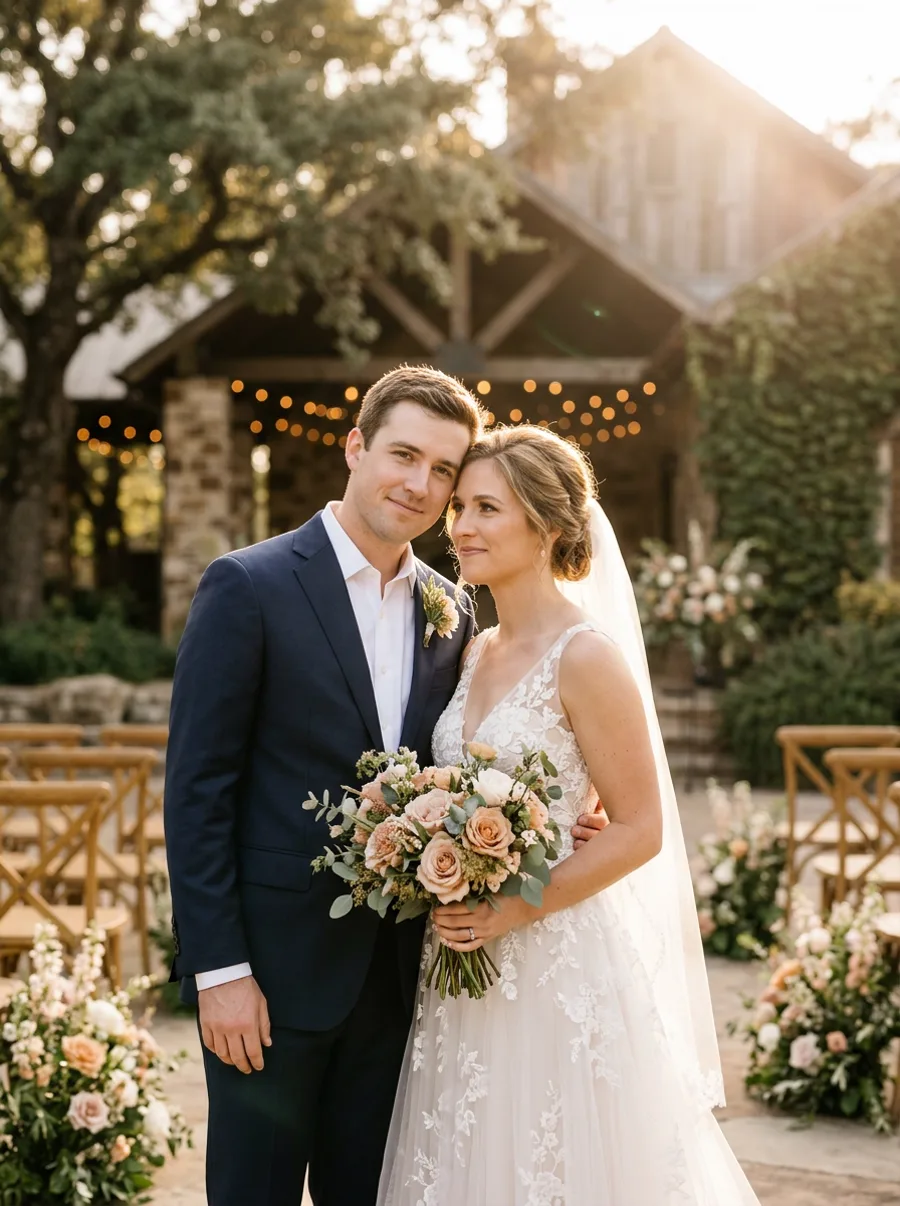
Bride and groom shot separately
Getting-ready photos from two different rooms become one portrait of the couple together.
A wedding portrait that never happened
Rain, timing or a missing photographer — rebuild the shot from the photos you do have.
Engagement announcements
One image for the announcement when the two of you were photographed on different days.
Who should use Wedding Photo Combiner
The people who get the most out of this tool, and why.
Newly engaged couples
Before the professional shoot, or when you want a specific scene it did not cover.
Wedding photographers
Deliver a composite when the schedule made the planned shot impossible.
Family members making a gift
A framed portrait built from the photos everyone actually has.
Wedding Photo Combiner features
What the tool handles for you, and what it deliberately leaves alone.
Identity-safe merging
Faces, skin tone and hair are preserved from your originals instead of being redrawn into a look-alike. The model changes the scene, not the person.
Lighting continuity
Colour temperature, shadow direction and depth of field are matched across the whole frame, which is what stops a merge from looking pasted in.
Prompt or preset
Describe the scene in one sentence, pick a style chip, or leave both empty and let the tool fall back to a sensible default.
Every common ratio
Square, portrait, landscape, story, 4:3 and 3:4 — chosen before the generation, so you never crop a finished image.
HD output on demand
Switch on HD to run a heavier model for sharper detail. It costs more credits, and the price is shown before you click.
Pay only for results
A credit is taken when a generation starts and returned automatically if the model fails or refuses the request.
Private by default
Your photos are used to produce your image and nothing else. Free-tier files are deleted from storage after seven days.
Commercial use
Anything you generate is yours to use in client work, ads, listings or print, with no attribution required.
How to use Wedding Photo Combiner
Four steps, about thirty seconds of your time.
- 01
Upload your photos
Add both images — JPG, PNG or WebP, up to 10 MB each. Front-facing shots with even light merge best.
- 02
Describe the scene
One sentence about the setting, mood or pose. Leave it empty to use the default direction.
- 03
Generate
About ten seconds later you have a single image. Review the faces at full size before you download.
- 04
Download or refine
Download as-is, or regenerate with a tweaked prompt to get a better match.
Everything you need to know about Wedding Photo Combiner
The details that decide whether a result looks real.
Light matters more than the dress
Golden hour versus flash-lit reception photos is the biggest failure mode. If one photo is warm and low-contrast and the other is hard flash, the composite will pick a side. Put the photo whose light you prefer first.
Handling veils, bouquets and trailing fabric
These are the details most likely to smear. Crop tighter before uploading and the model has fewer ambiguous edges to invent.
Related tools
Same editor, different intent.
Wedding Photo Combiner FAQ
Can it combine a bride photo with a groom photo from different venues?+
Yes. The scene from the first photo is used as the location, and the second subject is relit to match it.
Will the dress details survive?+
Lace, beading and veil texture are preserved where the source photo resolves them. Low-resolution originals limit what can be kept.
Can I make a black and white version?+
Yes — use the black and white couple tool, which applies the same merge with a monochrome grade.
How many generations should I expect before it looks right?+
Two or three is typical for wedding photos because the details are dense. Failed attempts are refunded.
Create a realistic result with Wedding Photo Combiner
Sign up free and get credits to try it — no card required.