AI Photo to Cartoon — Keep the Face, Change the Style
Turn a portrait into cartoon art while keeping the face clearly recognizable.
Create or edit your image
Source images
Create a free account and get free credits to try it.
Your result
Upload your photos and hit generate.
- Free credits on signup
- Failed generations refunded
- Commercial use allowed
AI Photo to Cartoon results
A real generation from this tool. Your photos decide the people; the prompt decides the scene.
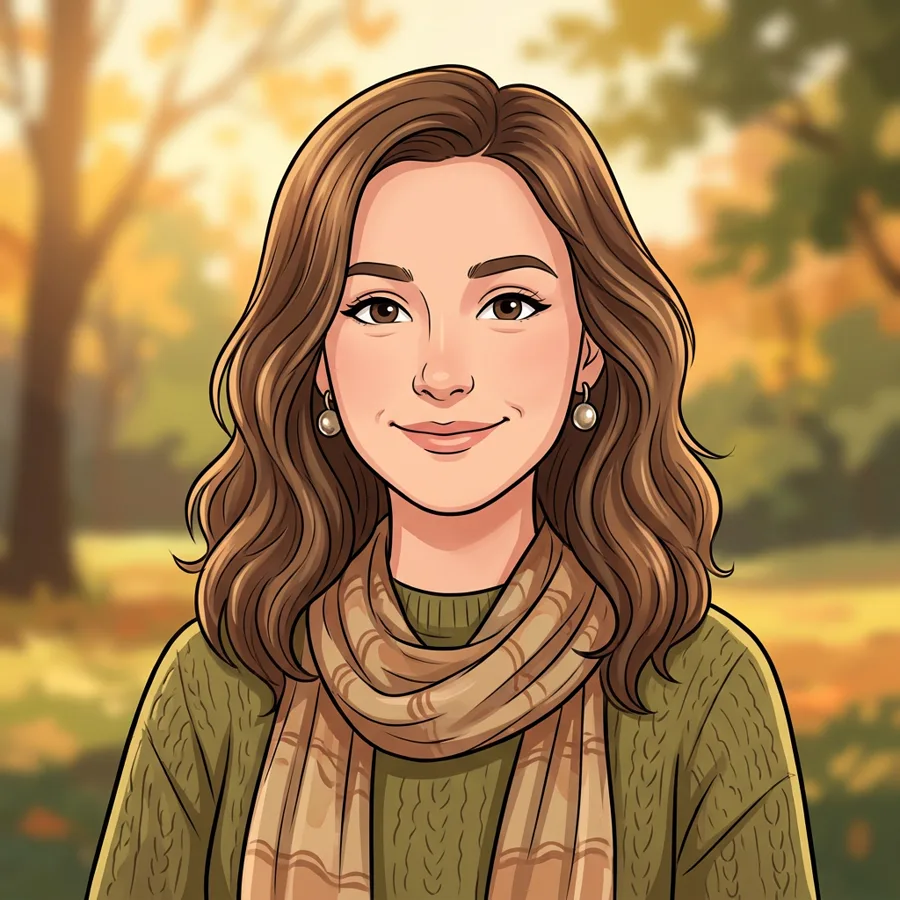
A cartoon avatar of yourself
Keep the face recognisable while changing the whole rendering style.
Gifts and prints
A stylised portrait that works as a framed gift.
Brand mascots
Turn a founder photo into an illustrated character.
Who should use AI Photo to Cartoon
The people who get the most out of this tool, and why.
Social users
Profile pictures that stand out without a commission.
Illustrators and brands
A fast concept before a paid illustration.
Gift buyers
Personal prints at short notice.
AI Photo to Cartoon features
What the tool handles for you, and what it deliberately leaves alone.
The subject stays recognisable
A restyle changes how the photo looks, not who is in it. Proportions and key features survive the transformation.
Style you control
Pick a style chip for a consistent look, or write your own direction when you want something specific.
Detail that holds up
No smeared edges or melted texture — fine detail is preserved at full output size.
Every common ratio
Square, portrait, landscape, story, 4:3 and 3:4 — chosen before the generation, so you never crop a finished image.
HD output on demand
Switch on HD to run a heavier model for sharper detail. It costs more credits, and the price is shown before you click.
Pay only for results
A credit is taken when a generation starts and returned automatically if the model fails or refuses the request.
Private by default
Your photos are used to produce your image and nothing else. Free-tier files are deleted from storage after seven days.
Commercial use
Anything you generate is yours to use in client work, ads, listings or print, with no attribution required.
How to use AI Photo to Cartoon
Four steps, about thirty seconds of your time.
- 01
Upload a photo
One image, with the subject clearly visible.
- 02
Pick a style or write one
Use a preset chip for consistency, or describe the look in your own words.
- 03
Generate
The result keeps the subject recognisable while changing the presentation.
- 04
Download
Save the version you like; regenerate for another take.
Everything you need to know about AI Photo to Cartoon
The details that decide whether a result looks real.
Style presets exist for a reason
Cartoon is a wide space — storybook 3D, comic ink and anime cel are different products. Picking a chip keeps the result consistent across several photos; writing "cartoon" alone tends to drift between generations.
What gets lost
Fine detail such as jewellery text, tattoos and logos is usually simplified or removed. If those matter, ask to keep them explicitly.
Related tools
Same editor, different intent.
Combine Two Photos
Upload two photos, describe the scene, and get one realistic AI merge in seconds.
AI Couple Photo Maker
Turn two separate selfies into one natural couple photo, keeping both faces recognizable.
AI Photo Merger
Merge two photos of people or products into one natural, believable image.
AI Hairstyle Changer
Upload a portrait and a hairstyle reference to preview realistic cuts, lengths, and colors.
AI Clothes Changer
Change what someone is wearing using an outfit reference, keeping their pose and face.
Couple Avatar Maker
Turn one couple photo into a matching pair of illustrated avatars.
AI Photo to Cartoon FAQ
Will people recognise me?+
Yes — the face is preserved as the anchor. Extreme stylisation reduces likeness, so pick a moderate style for the clearest result.
Can I use the result commercially?+
Yes. Generated images are yours.
What resolution do I get?+
1024 pixels standard, larger with HD — fine for print at small sizes.
Can I turn a group photo into cartoons?+
It works, though detail per face drops. One person per image gives the best likeness.
Create a realistic result with AI Photo to Cartoon
Sign up free and get credits to try it — no card required.