AI Image Extender — Expand a Photo into Any Canvas
Expand one photo into covers, posters, and social layouts without visible seams.
Create or edit your image
Source images
Create a free account and get free credits to try it.
Your result
Upload your photos and hit generate.
- Free credits on signup
- Failed generations refunded
- Commercial use allowed
AI Image Extender results
A real generation from this tool. Your photos decide the people; the prompt decides the scene.
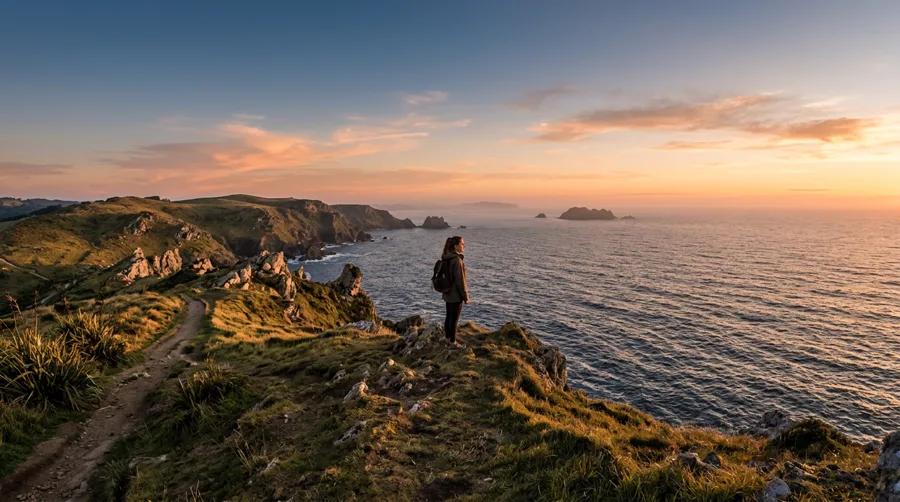
Turning a square into a wide banner
Extend the scene sideways to fit a website header or a YouTube thumbnail.
Fixing a tight crop
Recover headroom or background that was cropped out of frame.
Print formats
Multiple aspect ratios from one original without visible seams.
Who should use AI Image Extender
The people who get the most out of this tool, and why.
Designers
Reformatting one asset for several placements.
Content creators
Thumbnails and covers from a single photo.
Marketers
Adapting a campaign image to each channel’s ratio.
AI Image Extender features
What the tool handles for you, and what it deliberately leaves alone.
The subject stays recognisable
A restyle changes how the photo looks, not who is in it. Proportions and key features survive the transformation.
Style you control
Pick a style chip for a consistent look, or write your own direction when you want something specific.
Detail that holds up
No smeared edges or melted texture — fine detail is preserved at full output size.
Every common ratio
Square, portrait, landscape, story, 4:3 and 3:4 — chosen before the generation, so you never crop a finished image.
HD output on demand
Switch on HD to run a heavier model for sharper detail. It costs more credits, and the price is shown before you click.
Pay only for results
A credit is taken when a generation starts and returned automatically if the model fails or refuses the request.
Private by default
Your photos are used to produce your image and nothing else. Free-tier files are deleted from storage after seven days.
Commercial use
Anything you generate is yours to use in client work, ads, listings or print, with no attribution required.
How to use AI Image Extender
Four steps, about thirty seconds of your time.
- 01
Upload a photo
One image, with the subject clearly visible.
- 02
Pick a style or write one
Use a preset chip for consistency, or describe the look in your own words.
- 03
Generate
The result keeps the subject recognisable while changing the presentation.
- 04
Download
Save the version you like; regenerate for another take.
Everything you need to know about AI Image Extender
The details that decide whether a result looks real.
How extending avoids seams
Instead of stretching, the model continues perspective, texture and light outward from the existing edges. A brick wall keeps its courses; a sky keeps its gradient. Repeating patterns are the usual giveaway, so check tiled surfaces.
Extend before you crop
If a photo is already cropped into a subject with no room, extending is the only fix. Cropping further never recovers missing background.
Related tools
Same editor, different intent.
Photo Collage Maker
Arrange two or more photos into a polished collage you would actually post.
Lofi Dusk Filter
Apply a moody lofi dusk grade to a portrait without changing the person.
AI White Background
Turn any photo’s background into a clean pure white studio backdrop for listings and documents.
AI Product Background Changer
Replace product photo backgrounds with clean studio or lifestyle scenes.
Photo to Video AI
Bring a still photo into motion as a short clip.
GIF Frame Editor
Upload an animated GIF to preview, reorder or remove frames, and change timing in your browser.
AI Image Extender FAQ
How far can it extend?+
Roughly a third of the frame per side before invention becomes obvious. For more, extend in passes.
Will people or objects be duplicated?+
The model avoids duplicating subjects, but check for repeated details in busy scenes.
Can I extend a portrait into a landscape?+
Yes — set the ratio before generating and describe what should fill the new space.
What resolution comes out?+
1024 pixels on the long edge standard, larger with HD.
Create a realistic result with AI Image Extender
Sign up free and get credits to try it — no card required.