Add a Person to a Photo with AI
Add someone who is missing from a group photo back into the frame.
Create or edit your image
Source images
Create a free account and get free credits to try it.
Your result
Upload your photos and hit generate.
- Free credits on signup
- Failed generations refunded
- Commercial use allowed
Add Person to Photo AI results
A real generation from this tool. Your photos decide the people; the prompt decides the scene.
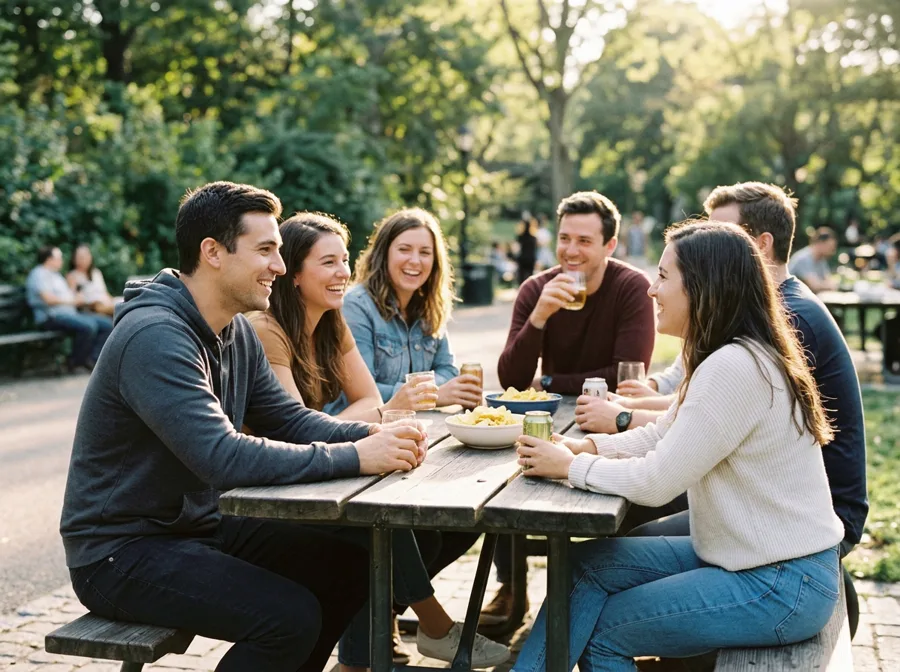
A group photo missing one person
Someone left before the shot was taken, or was behind the camera. Add them back from another photo.
Family gatherings
Complete the picture when travel made it impossible for everyone to be there.
Team and event photos
A full-team image when one member joined remotely.
Who should use Add Person to Photo AI
The people who get the most out of this tool, and why.
Families
The classic use: a grandparent who could not travel.
Event organisers
A complete photo for the recap without a reshoot.
Anyone with an imperfect group shot
No need to ask everyone to stand together again.
Add Person to Photo AI features
What the tool handles for you, and what it deliberately leaves alone.
Identity-safe merging
Faces, skin tone and hair are preserved from your originals instead of being redrawn into a look-alike. The model changes the scene, not the person.
Lighting continuity
Colour temperature, shadow direction and depth of field are matched across the whole frame, which is what stops a merge from looking pasted in.
Prompt or preset
Describe the scene in one sentence, pick a style chip, or leave both empty and let the tool fall back to a sensible default.
Every common ratio
Square, portrait, landscape, story, 4:3 and 3:4 — chosen before the generation, so you never crop a finished image.
HD output on demand
Switch on HD to run a heavier model for sharper detail. It costs more credits, and the price is shown before you click.
Pay only for results
A credit is taken when a generation starts and returned automatically if the model fails or refuses the request.
Private by default
Your photos are used to produce your image and nothing else. Free-tier files are deleted from storage after seven days.
Commercial use
Anything you generate is yours to use in client work, ads, listings or print, with no attribution required.
How to use Add Person to Photo AI
Four steps, about thirty seconds of your time.
- 01
Upload your photos
Add both images — JPG, PNG or WebP, up to 10 MB each. Front-facing shots with even light merge best.
- 02
Describe the scene
One sentence about the setting, mood or pose. Leave it empty to use the default direction.
- 03
Generate
About ten seconds later you have a single image. Review the faces at full size before you download.
- 04
Download or refine
Download as-is, or regenerate with a tweaked prompt to get a better match.
Everything you need to know about Add Person to Photo AI
The details that decide whether a result looks real.
Where to place the new person
Say it in the prompt — "standing on the right, slightly behind" — otherwise the model picks a spot that may overlap someone’s face. Naming a position is the cheapest quality upgrade available.
Matching the light of a group shot
Group photos are usually lit from above or from one side. If the person you are adding was lit from the front, ask for the group’s light direction in the prompt and the result stops looking cut out.
Related tools
Same editor, different intent.
Combine Two Photos
Upload two photos, describe the scene, and get one realistic AI merge in seconds.
AI Couple Photo Maker
Turn two separate selfies into one natural couple photo, keeping both faces recognizable.
AI Photo Merger
Merge two photos of people or products into one natural, believable image.
AI Hairstyle Changer
Upload a portrait and a hairstyle reference to preview realistic cuts, lengths, and colors.
AI Clothes Changer
Change what someone is wearing using an outfit reference, keeping their pose and face.
Couple Avatar Maker
Turn one couple photo into a matching pair of illustrated avatars.
Add Person to Photo AI FAQ
Can I add more than one person?+
One per generation here. Merge the result with the next person in a second pass.
Will the new person be the right size?+
Scale is inferred from the group. Mentioning where they stand relative to others improves it.
What if the group photo is blurry?+
The output will be limited by it. Sharp sources produce sharper composites.
Is consent needed?+
Yes — for the person you add and for anyone in the original group photo.
Create a realistic result with Add Person to Photo AI
Sign up free and get credits to try it — no card required.