Grok Image 2 Generator — Generate and Edit Images
Generate and edit images with Grok Image 2 through OpenRouter.
Create or edit your image
Source images
Create a free account and get free credits to try it.
Your result
Upload your photos and hit generate.
- Free credits on signup
- Failed generations refunded
- Commercial use allowed
Grok Image 2 Generator results
A real generation from this tool. Your photos decide the people; the prompt decides the scene.
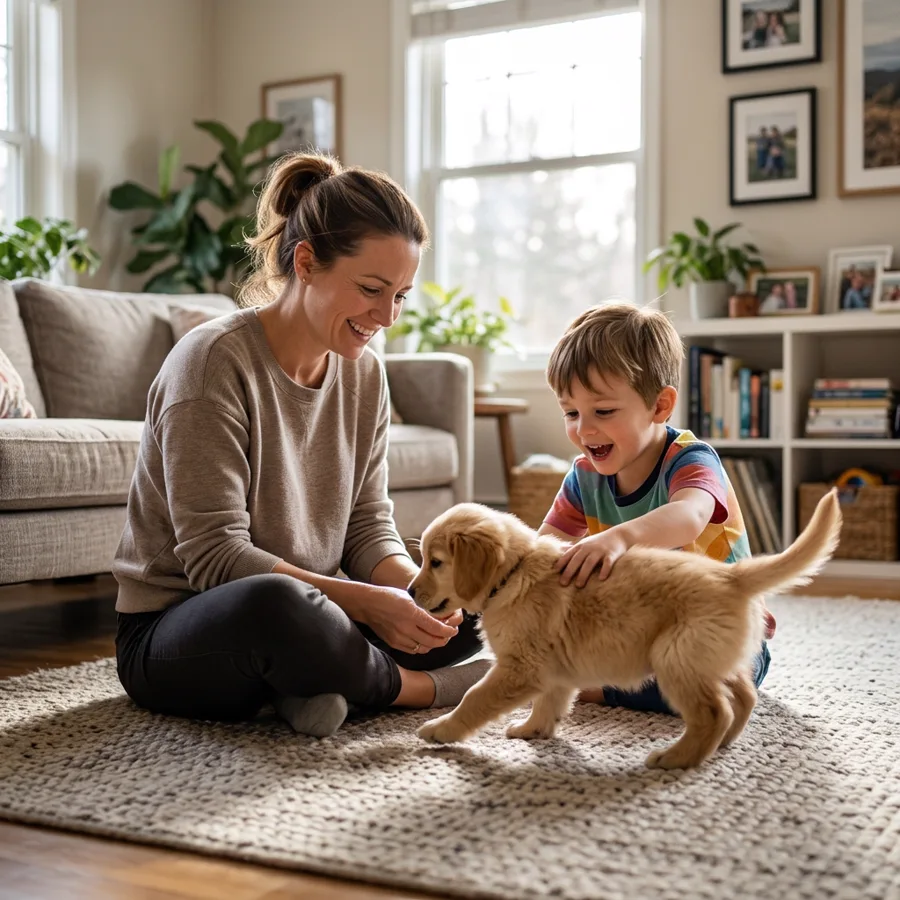
A quick result without editing software
Upload a photo and describe what you want. Grok Image 2 Generator handles the compositing, lighting and blending that would otherwise take an hour in a desktop editor.
Consistent output across several images
The same preset and style produce the same treatment every time, which is what makes a set of images look like a set.
Testing an idea before committing
See the result in ten seconds, adjust the direction, and generate again — cheaper than a reshoot.
Who should use Grok Image 2 Generator
The people who get the most out of this tool, and why.
People who are not photo editors
No layers or masks; one sentence of direction replaces the tooling.
Small businesses
Marketing images without booking a photographer.
Creators on a deadline
Assets turned around the same day.
Grok Image 2 Generator features
What the tool handles for you, and what it deliberately leaves alone.
Direct model access
No preset prompt in the way — describe what you want and the model renders it.
Optional reference image
Upload a reference when you want the output anchored to an existing look.
Every common ratio
Square, portrait, landscape, story, 4:3 and 3:4 — chosen before the generation, so you never crop a finished image.
HD output on demand
Switch on HD to run a heavier model for sharper detail. It costs more credits, and the price is shown before you click.
Pay only for results
A credit is taken when a generation starts and returned automatically if the model fails or refuses the request.
Commercial use
Anything you generate is yours to use in client work, ads, listings or print, with no attribution required.
How to use Grok Image 2 Generator
Four steps, about thirty seconds of your time.
- 01
Describe the image
Be specific about subject, light and framing.
- 02
Add a reference
Optional — anchors the output to an existing look.
- 03
Generate
One credit per standard image.
Everything you need to know about Grok Image 2 Generator
The details that decide whether a result looks real.
What Grok Image 2 Generator is optimised for
Generate a clean, well-lit image from the description.
What limits the result
Source quality decides most of it. Start with Reference (optional) that is sharp, evenly lit, and free of heavy filters — the model can only preserve detail that exists in the original.
Related tools
Same editor, different intent.
Nano Banana 2 Generator
Full-quality Gemini image model for high-fidelity edits and blends.
Nano Banana Lite Generator
Fast, low-cost image edits with the lightweight Gemini model.
GPT Image 2 Generator
Generate and edit images with OpenAI’s GPT Image 2 through OpenRouter.
Image to Prompt Generator
Upload an image and get a detailed prompt that recreates a similar picture.
AI Photo Editor Prompts
Free movie poster, Gemini, and nostalgia photo prompts you can copy.
Grok Image 2 Generator FAQ
How long does a generation take?+
Around ten seconds for a standard image, longer for HD.
Do failed attempts cost a credit?+
No — the credit is returned automatically if the generation fails.
Can I use the result commercially?+
Yes, generated images are yours to use.
What file types are supported?+
JPG, PNG and WebP up to 10 MB per image.
Create a realistic result with Grok Image 2 Generator
Sign up free and get credits to try it — no card required.