AI Couple Photo Maker — Realistic Couple Photos from Two Selfies
Turn two separate selfies into one natural couple photo, keeping both faces recognizable.
Create or edit your image
Source images
Create a free account and get free credits to try it.
Your result
Upload your photos and hit generate.
- Free credits on signup
- Failed generations refunded
- Commercial use allowed
AI Couple Photo Maker results
A real generation from this tool. Your photos decide the people; the prompt decides the scene.
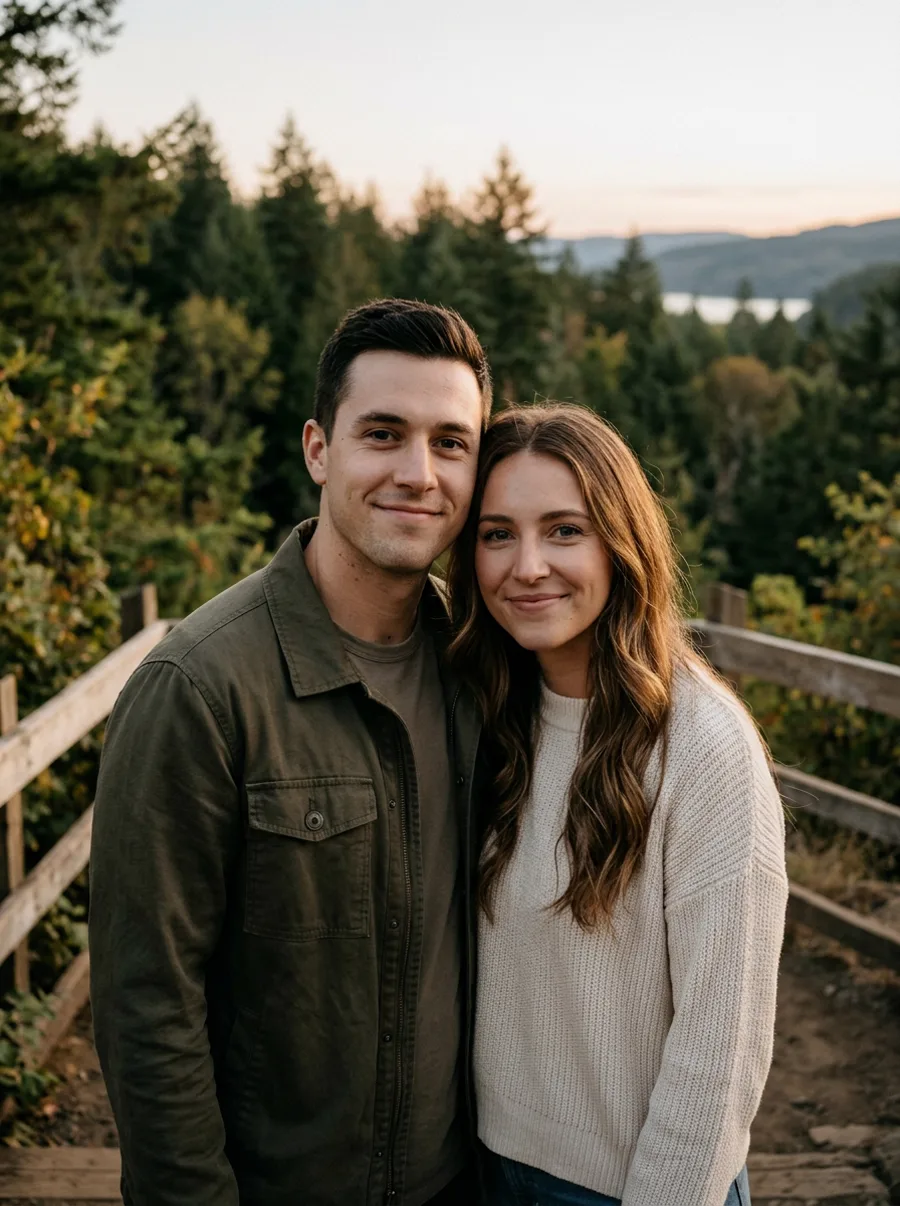
A couple photo from two separate selfies
The most common use: two phone selfies, one believable photo of the two of you standing together.
Anniversary and Valentine posts
A picture that looks shot the same evening, without either person travelling.
Filling a gap in a shared album
Add the missing half of a couple to an existing scene from the same trip.
Who should use AI Couple Photo Maker
The people who get the most out of this tool, and why.
Long-distance couples
For anyone who has a hundred screenshots and no good photo together.
People who dislike being photographed
Use the selfie you already like instead of setting up a shoot.
Content creators
Consistent couple content for a shared account without a photographer.
AI Couple Photo Maker features
What the tool handles for you, and what it deliberately leaves alone.
Identity-safe merging
Faces, skin tone and hair are preserved from your originals instead of being redrawn into a look-alike. The model changes the scene, not the person.
Lighting continuity
Colour temperature, shadow direction and depth of field are matched across the whole frame, which is what stops a merge from looking pasted in.
Prompt or preset
Describe the scene in one sentence, pick a style chip, or leave both empty and let the tool fall back to a sensible default.
Every common ratio
Square, portrait, landscape, story, 4:3 and 3:4 — chosen before the generation, so you never crop a finished image.
HD output on demand
Switch on HD to run a heavier model for sharper detail. It costs more credits, and the price is shown before you click.
Pay only for results
A credit is taken when a generation starts and returned automatically if the model fails or refuses the request.
Private by default
Your photos are used to produce your image and nothing else. Free-tier files are deleted from storage after seven days.
Commercial use
Anything you generate is yours to use in client work, ads, listings or print, with no attribution required.
How to use AI Couple Photo Maker
Four steps, about thirty seconds of your time.
- 01
Upload your photos
Add both images — JPG, PNG or WebP, up to 10 MB each. Front-facing shots with even light merge best.
- 02
Describe the scene
One sentence about the setting, mood or pose. Leave it empty to use the default direction.
- 03
Generate
About ten seconds later you have a single image. Review the faces at full size before you download.
- 04
Download or refine
Download as-is, or regenerate with a tweaked prompt to get a better match.
Everything you need to know about AI Couple Photo Maker
The details that decide whether a result looks real.
Why selfies are harder than they look
Selfies are usually shot close with a wide lens, which enlarges the nose and narrows the shoulders. Two selfies taken at different distances fight each other when merged. The tool normalises perspective towards the first photo, so putting your better-lit shot in slot one gives you the stronger result.
Making it look like one evening
Warm indoor light plus cool phone white balance is the usual giveaway. Pick a style chip before generating — the cinematic and soft presets rebalance colour temperature across both subjects rather than leaving one warm and one cold.
Related tools
Same editor, different intent.
Combine Two Photos
Upload two photos, describe the scene, and get one realistic AI merge in seconds.
AI Photo Merger
Merge two photos of people or products into one natural, believable image.
AI Hairstyle Changer
Upload a portrait and a hairstyle reference to preview realistic cuts, lengths, and colors.
AI Clothes Changer
Change what someone is wearing using an outfit reference, keeping their pose and face.
Couple Avatar Maker
Turn one couple photo into a matching pair of illustrated avatars.
AI Photo to Cartoon
Turn a portrait into cartoon art while keeping the face clearly recognizable.
AI Couple Photo Maker FAQ
Does it work with photos taken on different phones?+
Yes. Resolution and colour differences are reconciled during generation; matching the light is the part that matters more.
Can I choose the setting?+
Yes — describe it, or leave the prompt empty and the setting of your first photo is used.
Is a couple photo of two real people allowed?+
Yes, with consent. If you upload someone else, you confirm you have their permission to use their photo this way.
What if the faces blend into each other?+
Regenerate. Keep both faces a similar size in the source photos and avoid heavy blur or filters.
Create a realistic result with AI Couple Photo Maker
Sign up free and get credits to try it — no card required.