AI Hairstyle Changer — Try On a Haircut Before You Cut
Upload a portrait and a hairstyle reference to preview realistic cuts, lengths, and colors.
Create or edit your image
Source images
Create a free account and get free credits to try it.
Your result
Upload your photos and hit generate.
- Free credits on signup
- Failed generations refunded
- Commercial use allowed
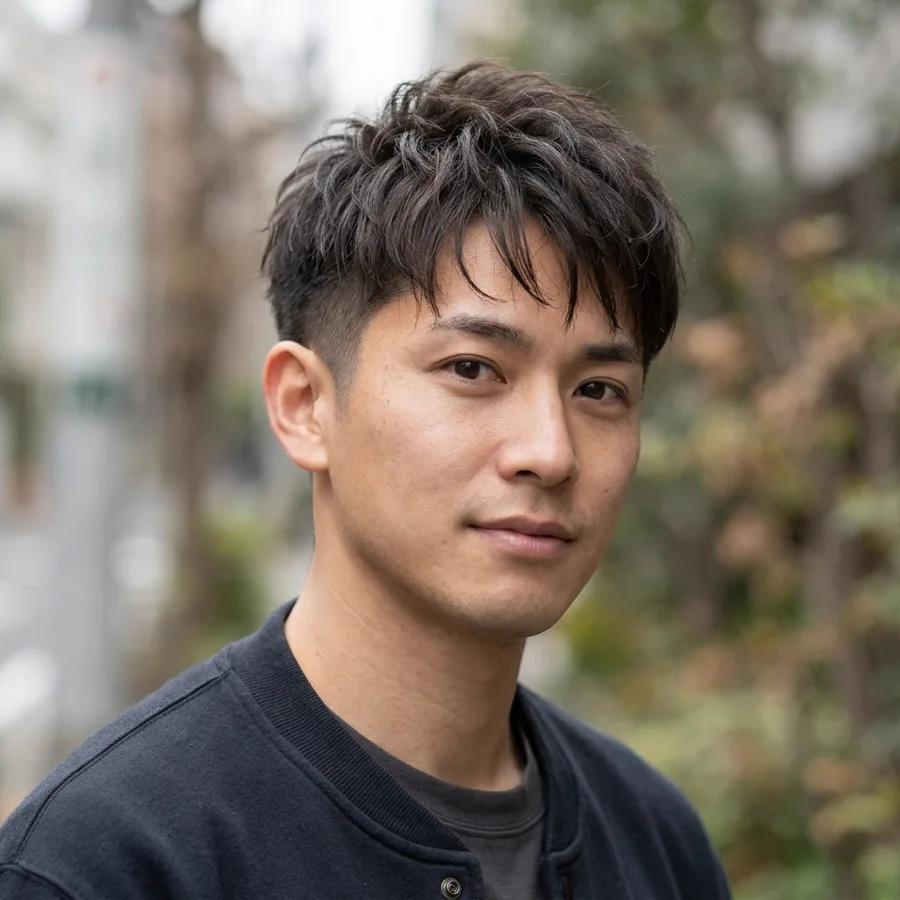
AI Hairstyle Changer results
A real generation from this tool. Your photos decide the people; the prompt decides the scene.
Before a real appointment
See how a bob, curtain bangs or a short crop frames your face before committing to the cut.
Testing a colour
Ash blonde, copper or balayage without the damage of a dye you regret.
Showing a stylist what you mean
A photo of your own face with the reference style beats describing it in words.
Who should use AI Hairstyle Changer
The people who get the most out of this tool, and why.
People considering a big change
Especially anyone switching length after years of the same cut.
Salon clients
A clearer brief reduces the chance of a misunderstanding in the chair.
Stylists
Show a client an approximation of an option quickly.
AI Hairstyle Changer features
What the tool handles for you, and what it deliberately leaves alone.
Reference-driven edits
The second photo acts as a reference, not a canvas: shape, length and colour are read from it and applied to your subject.
Identity-safe merging
Faces, skin tone and hair are preserved from your originals instead of being redrawn into a look-alike. The model changes the scene, not the person.
Clean edges
Hairline, fabric seams and skin transitions keep their detail, which is what separates a believable edit from an obvious filter.
Lighting continuity
Colour temperature, shadow direction and depth of field are matched across the whole frame, which is what stops a merge from looking pasted in.
Every common ratio
Square, portrait, landscape, story, 4:3 and 3:4 — chosen before the generation, so you never crop a finished image.
HD output on demand
Switch on HD to run a heavier model for sharper detail. It costs more credits, and the price is shown before you click.
Pay only for results
A credit is taken when a generation starts and returned automatically if the model fails or refuses the request.
Commercial use
Anything you generate is yours to use in client work, ads, listings or print, with no attribution required.
How to use AI Hairstyle Changer
Four steps, about thirty seconds of your time.
- 01
Upload the subject
A clear, front-facing photo of the person you are editing.
- 02
Add the reference
A photo showing the look you want — same angle works best.
- 03
Add direction
Optional: say what should change, such as colour or length.
- 04
Generate and compare
Generate two or three variations and keep the one that reads most natural.
Everything you need to know about AI Hairstyle Changer
The details that decide whether a result looks real.
Why the reference angle matters
The tool reads cut, length and texture from the reference photo. If your portrait faces forward and the reference is a profile, the model has to invent the front. Matching the angle of the two photos is the single biggest quality lever.
What it will not predict
Hair type is not simulated. Straight fine hair set to a curly reference will look like styled straight hair, not natural curls. Treat the result as a shape and colour preview, not a promise of how your hair will behave.
Related tools
Same editor, different intent.
Combine Two Photos
Upload two photos, describe the scene, and get one realistic AI merge in seconds.
AI Couple Photo Maker
Turn two separate selfies into one natural couple photo, keeping both faces recognizable.
AI Photo Merger
Merge two photos of people or products into one natural, believable image.
AI Clothes Changer
Change what someone is wearing using an outfit reference, keeping their pose and face.
Couple Avatar Maker
Turn one couple photo into a matching pair of illustrated avatars.
AI Photo to Cartoon
Turn a portrait into cartoon art while keeping the face clearly recognizable.
AI Hairstyle Changer FAQ
Does it keep my face the same?+
Yes. Face shape, features and skin tone are preserved; only the hair changes.
Can I change colour without changing the cut?+
Yes — use the colour preset, or write "keep the cut, change the colour" in the prompt.
What photo works best?+
A front-facing portrait with even light and your hairline visible. Avoid hats, heavy shadow across the face, and extreme angles.
Will it look exactly like the real result?+
No. It is a preview of shape and colour. Real results depend on your hair density, growth pattern and the stylist.
Create a realistic result with AI Hairstyle Changer
Sign up free and get credits to try it — no card required.