AI Clothes Changer — Swap Outfits with a Reference Photo
Change what someone is wearing using an outfit reference, keeping their pose and face.
Create or edit your image
Source images
Create a free account and get free credits to try it.
Your result
Upload your photos and hit generate.
- Free credits on signup
- Failed generations refunded
- Commercial use allowed
AI Clothes Changer results
A real generation from this tool. Your photos decide the people; the prompt decides the scene.
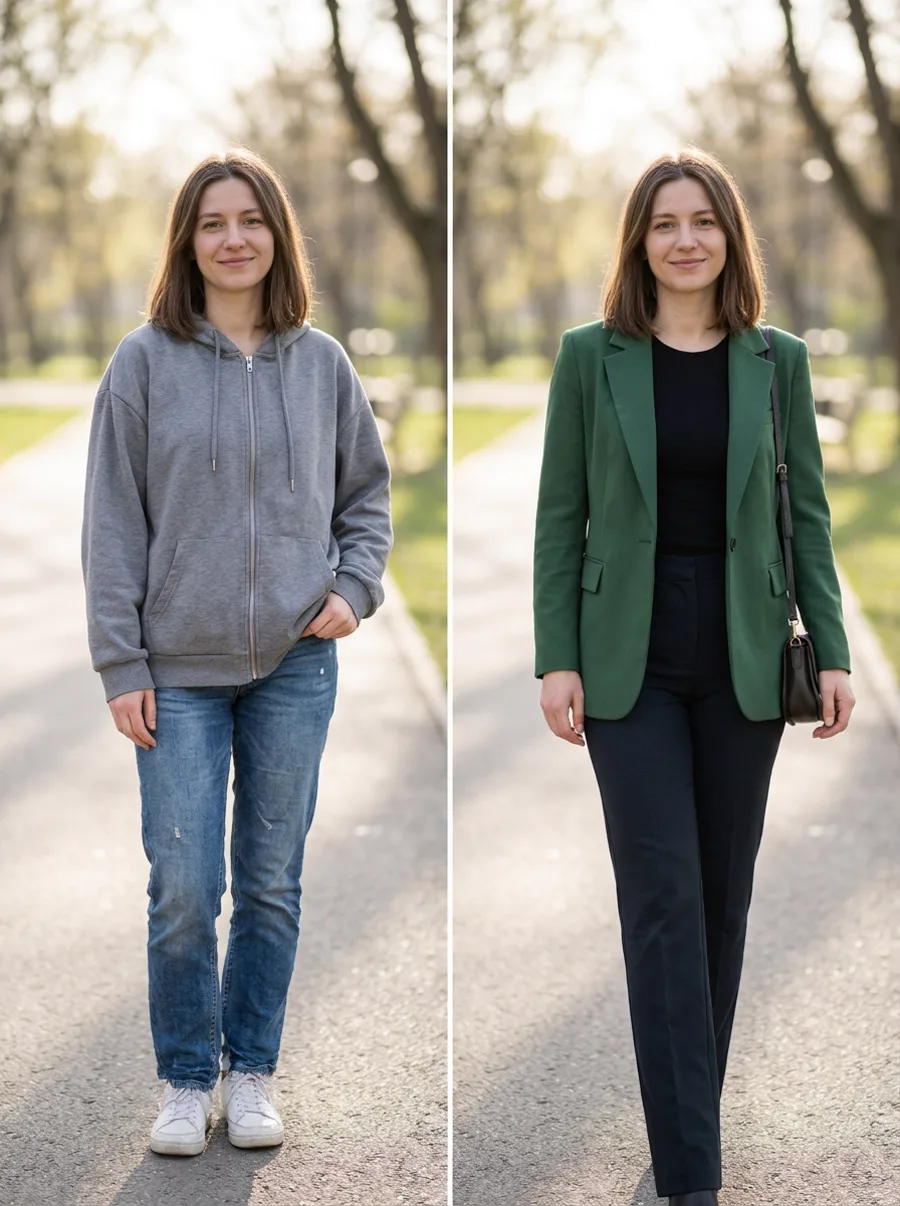
Trying an outfit before buying
Put a jacket or dress from a product page onto your own photo.
Building outfit options
One portrait, several outfits, without another shoot.
Fashion content
Variation posts from a single base photo.
Who should use AI Clothes Changer
The people who get the most out of this tool, and why.
Online shoppers
Unsure how a cut will sit on your body type.
Stylists and creators
Look variations without a studio.
Small fashion brands
Preview a garment on a model before production.
AI Clothes Changer features
What the tool handles for you, and what it deliberately leaves alone.
Reference-driven edits
The second photo acts as a reference, not a canvas: shape, length and colour are read from it and applied to your subject.
Identity-safe merging
Faces, skin tone and hair are preserved from your originals instead of being redrawn into a look-alike. The model changes the scene, not the person.
Clean edges
Hairline, fabric seams and skin transitions keep their detail, which is what separates a believable edit from an obvious filter.
Lighting continuity
Colour temperature, shadow direction and depth of field are matched across the whole frame, which is what stops a merge from looking pasted in.
Every common ratio
Square, portrait, landscape, story, 4:3 and 3:4 — chosen before the generation, so you never crop a finished image.
HD output on demand
Switch on HD to run a heavier model for sharper detail. It costs more credits, and the price is shown before you click.
Pay only for results
A credit is taken when a generation starts and returned automatically if the model fails or refuses the request.
Commercial use
Anything you generate is yours to use in client work, ads, listings or print, with no attribution required.
How to use AI Clothes Changer
Four steps, about thirty seconds of your time.
- 01
Upload the subject
A clear, front-facing photo of the person you are editing.
- 02
Add the reference
A photo showing the look you want — same angle works best.
- 03
Add direction
Optional: say what should change, such as colour or length.
- 04
Generate and compare
Generate two or three variations and keep the one that reads most natural.
Everything you need to know about AI Clothes Changer
The details that decide whether a result looks real.
The reference needs to show the garment
A flat product shot works, but one worn by a person gives the model fit information — how the fabric falls at the shoulder, where the hem sits. That is what makes the result look worn rather than pasted.
Pose and garment conflict
If your pose is very different from the reference, the model has to invent how the fabric behaves. Simple standing poses convert best.
Related tools
Same editor, different intent.
Combine Two Photos
Upload two photos, describe the scene, and get one realistic AI merge in seconds.
AI Couple Photo Maker
Turn two separate selfies into one natural couple photo, keeping both faces recognizable.
AI Photo Merger
Merge two photos of people or products into one natural, believable image.
AI Hairstyle Changer
Upload a portrait and a hairstyle reference to preview realistic cuts, lengths, and colors.
Couple Avatar Maker
Turn one couple photo into a matching pair of illustrated avatars.
AI Photo to Cartoon
Turn a portrait into cartoon art while keeping the face clearly recognizable.
AI Clothes Changer FAQ
Will the outfit fit my body?+
The model adapts the garment to your proportions, but it is a visual approximation, not a tailoring simulation.
Can I keep my own clothes and change only the colour?+
Yes — describe that in the prompt instead of supplying a garment reference.
Does it work with accessories?+
Bags and shoes often survive; fine jewellery and glasses frequently do not.
Can I use this for e-commerce?+
Yes, but disclose that the image is AI-generated where the platform requires it.
Create a realistic result with AI Clothes Changer
Sign up free and get credits to try it — no card required.